Sunday, November 30, 2014

Lady and fan interaction

As what Chuan Zui suggested instead of letting user to click on button to wipe off the face feature, it will be more interesting to let user to drag to erase the face feature. I was trying to search for the code for very long time and finally I found this easelJS that helps ! 


I get free demo files through the provided github link. After figuring out the code I start to explore the codes by put it in the images.


The demo files that provided.


After several times on changing the code here and there and making adjustments, finally I achieved it . The facial feature can be erased. I feel very lucky that the free sources provided the percentage code. When erases the facial feature the number of percentage will increase. By using this percentage, I can set once the user after erasing it , it will trigger the next animation or to the next page.


I start to put in the fan, and putting animation. When user erase the facial feature, the percentage will count to 69% and the fan will stop. 

I still haven't figure out how to put the fan into a container , because now the fan expose at outside of the panel. I might need to arrange a tutorial with Kelvin in the coming friday.

Background Sound

I found some background sounds that might use in my final year project.


This sound will be use in the Kabuki Theater hall when showing the performer dancing. 


The duration of this soundtrack is quite long, I will use Daylight by Kokin Gumi (23:22) in the start of my first chapter.


This music will be use in chapter 2 in the first dream when in the night market and the last chapter before Baku was trying to enter Yoshi's dream.


This music will be use in Chapter 3, when Baku was entering to the Yoshi's dream.


These two musics will be use in Chapter 3, to bring out a different mood when Baku was entering to the Yoshi's dream.


All background music will be edit in using Adobe Audition to trim and raise up the quality.

Friday, November 28, 2014

Sem AB: Week 4 Consultation

Consultation 4 (25/11/14)

Tutor: Chuan Zui

Showed my digitize scenes and the parallex scrolling code. Zui suggested I should play with some animation in the panels, for example the light in the 1st panel of my chapter 2, make it swing or dim. He suggested animation can try to use GIF or PNG file and try to separate the layers to animate. Other commend is to brighten the scenes. Some other graphic elements that can be reused and background are reusable so to cut down the time for me to redraw . He suggested I put 2 to 3 panels in one page and start to find some sound effect and background sound.

Next execution, I will try to animate the elements by using Adobe Edge to speed up my digitize process, find some sound effects, plan on which element that I should animate and continue the technical part on interaction page.

Sunday, November 23, 2014

Dreamweaver scrolling panels

This is the tested code from using Mousewheel.js. I found out it's quite smooth and easy to code.

The demo


My tested code

Thursday, November 20, 2014

Digitize progress (2)

I kind of jump around to digitize my storyboard. Due to the time limitation, I planned to manage from Mon - Thurs to digitize my scenes. I will digitize 3 panels per day. Other time I will use for other project and to try out the code in this project.


undone

Dreamweaver, parallex scrolling jquery plugin

I found severals jquery plugin that can be use in Adobe Dreamweaver. These plugin will help me to build parallex horizontal effects by using mouse scroll.

1. Skrollr.js
This plugin is to create animation scrolling effects when mouse scroll. I have downloaded this plugin and tested. I found out it only animate elements inside one panel, but not for parallax horizontal scrolling.

Link: http://labs.enonic.com/articles/animate-your-webpage-with-the-scrollbar

2. Howler.js
I found out this plugin is like a library storage for website audio. I'm not sure that I am going to use it ornot.

3. Horwheel.js
This is another jquery plugin that able to build parallax scrolling website with mouse wheel. This plugin also compatible with cross browser. I have downloaded and tested, but I decided to continue to search for other plugin as one of the JS file is missing. It takes complicated procedure to install the component.

Link:https://github.com/pazguille/horwheel

4. Mousewheel.js
After all the research, I found out this plugin is the best to use. It simple easy to understand. I might have to test it out and posted in the next post.

Tuesday, November 18, 2014

Sem AB: Week 3 Consultation

Consultation 3 (Tuesday, 18/11/14)

Tutor: Chuan Zui

Showed my refined storyboard to Zui. Zui said the story was fine and I should speed up my work. He asked me to think of the technical aspect more in this project. I should not show my artwork in a static panel, I should think more about the interacting design. He also gives me some advice on not thinking the craftment but think more on behind the work, the idea instead of graphics. Taking from the references, I should analyze the weakness and strength, from there I should come out an idea of how to improve it.

I am worried now. I will speed up the process and try to code as soon as possible.


Sunday, November 16, 2014

Interactive Narrative Website Benchmarks

Some other interactive narrative website that inspired on my panels layout.


Unfortunately, the actual Tron hypercomic website has taken down, but I found their recorded video. This artwork has very awesome responsive interaction and amazing graphics. My final year project panels might inspired by the dynamic scrolling and panning effects instead of one static panels that has limited interaction.


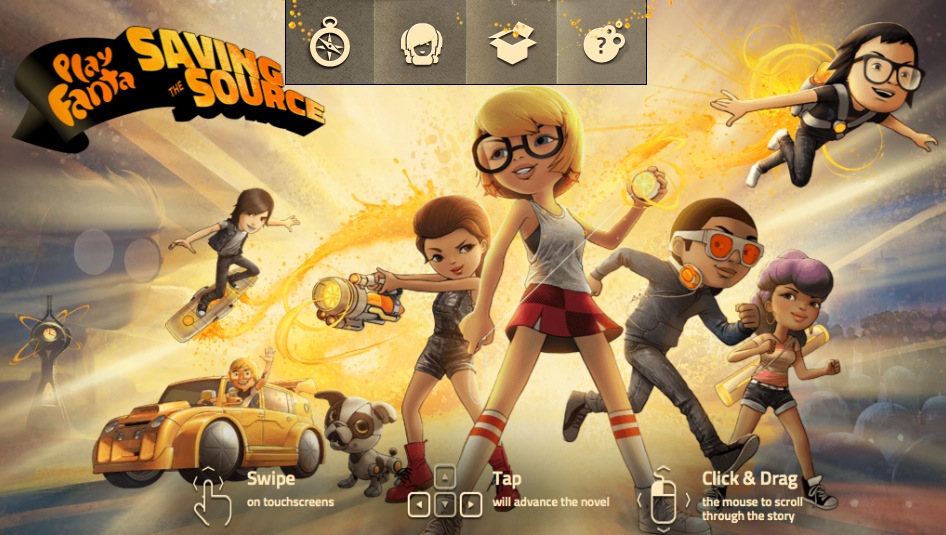
Another best interactive hypercomic website produced by Fanta. Some of the graphics effects and panels has inspired me.

Saturday, November 15, 2014

Sem AB: Week 2 consultation

Consultation 1 (Tuesday, 11/11/14)

Tutor: Chuan Zui

Had the first consultation with Chuan Zui in this final semester. I have discussed the story outline, shown the story board and some of the digitize scenes to the supervisor.

I am worried and concerned about the storyline in my final project as the story length is a bit too long. After discussion with Chuan Zui, I decided to shorten the length of the story, by combining the story of chapter 2 and chapter 4 together. Besides, as Zui suggestion, I should have made some adjustment for the story flow as below:

Chapter 1: Baku's Childhood
Chapter 2: Enter to sabotage dream
Chapter 3: Met the character Yoshi who change Baku's personality.

I shifted the story to start with introducing Baku's childhood and what makes him changed at the beginning of the story instead of letting the user to experience the sabotage dream because it will be confusing and lack of understanding of the whole narrative for the user.

Other than that, I have shown and explained in one of the interactive parts to Zui, which is the scene when the mask guy was passing the cat clay toy to the kid.

In this part, buttons will be shown at the clickable area, the cat eyes, mouth and body. The interaction will lead to different outcomes as it depends on the user to decide whether to help Baku to sabotage or not. I am thinking to put timer in this section so that to increase the tension for the user, Zui was also agreed.


The digitize scenes are too dim, I will adjust it become brighter and makes some adjustment on colors contrast. The next step that I will execute is refining my storyboard as it has adjusted. I will be continue to digitize my graphics and some refinement.


Consultation 2 (Friday, 14/11/14)

Tutor : Kelvin

I have shown the same progress to Kelvin. In my interaction part, Kelvin said is too static and not interesting enough. Kelvin asked to compose few benchmarks on what I want to archieve. He suggested me to consider using Adobe Flash to animate so the interaction will be wider. Story is too long and he asked me to think about what makes this project fascinating to let people want to buy it. Other than that, to work faster to get my digitize scene done.


After the consultation with Zui and Kelvin. I have listed down what is my next execution.
- Think about how to make my project stand out
- Digitize chapter 2, code the interaction part in Adobe Dreamweaver.
- Lack of landing page(Home page), I will try to digitize it
- Refine artstyle.
- Consider to animate in Adobe Flash.
- Find some benchmarks to support my artwork.


Japanese culture/element

Just to clarify , in my final project what is the Japanese culture that used and introduce for user.

Cat (Neko):

In Japanese folklore, cat that have protective powers and symbolize good fortune. (CARMINA,L ,2013). I think that is why Japan nowadays anime character are mostly in cat form, such as Doraemon, Hello Kitty and so on.

In my project, this culture will be introduce in the first dream in chapter 2. When the kids grabbing the cat from the mask character because they want to have good luck. 

One of the scene in Chapter 2


Faceless ghost (Noppera-bo):

Another interesting folklore in Japan is this faceless ghost. Noppera-bo is a Japanese legendary creature that usually in human form and appear in front the victim before erase their face features to scare them. 

Image from:http://media.japanpowered.com/images/Ryoi_Nopperabo1.jpg

Andrew Kincaid (2013), has noted in his article about Noppera-bo. This faceless ghost are apparently harmless. They love scare and crap out of unsuspecting people. There is no reason of why they are doing this but they are often appear in human form and often as someone who is familiar to their potential victim. 

However I have implement this to mix with Kabuki in my project. Click Here to view Kabuki post.


Others:

Kakemono (scroll painting):

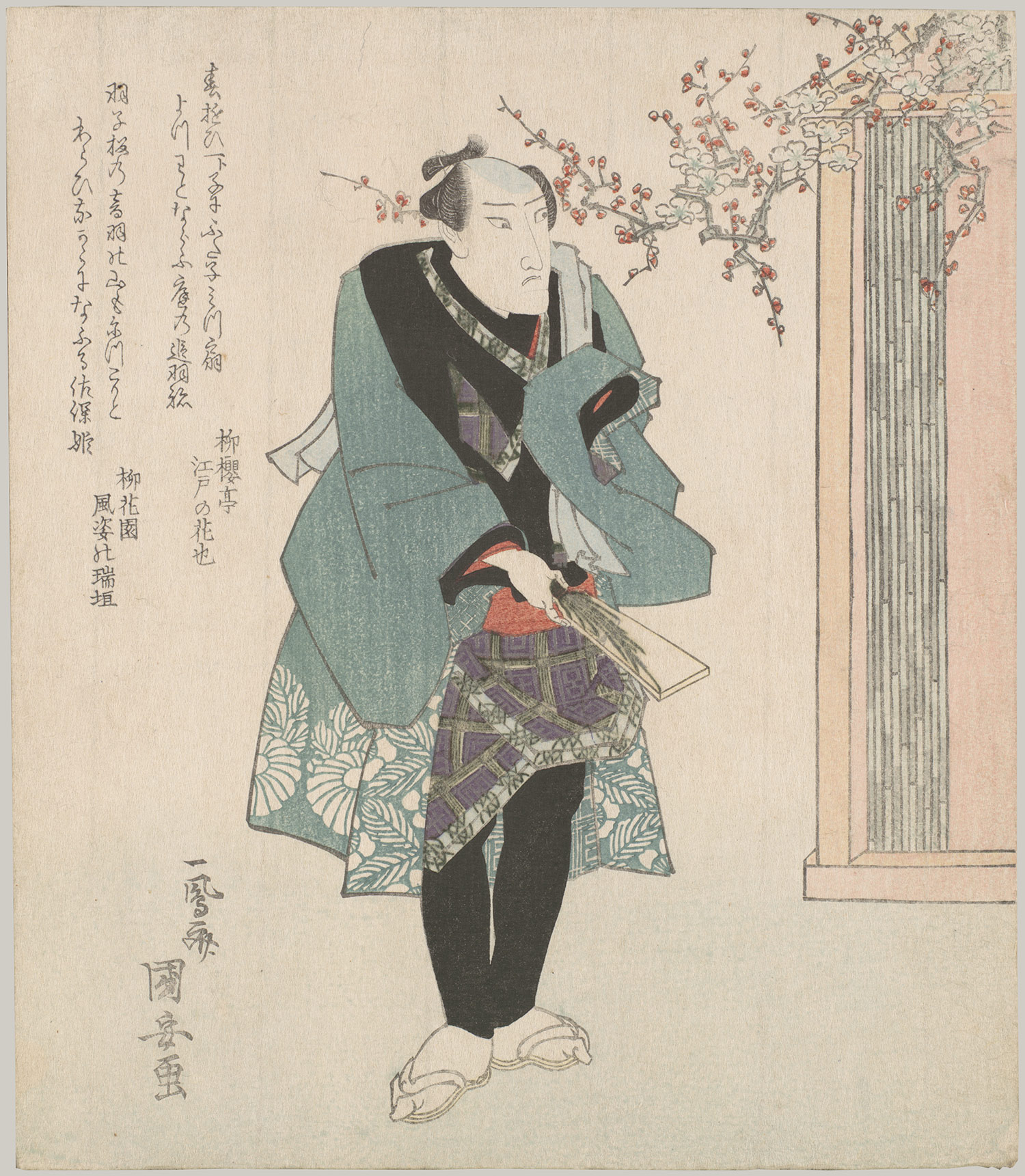
Other than that, I'm using the scroll painting method in Chapter 1 when introduce to Baku's childhood. The overall mood will looks like Ukiyo-e wood print style(image below).

Image from:http://www.metmuseum.org/toah/images/h2/h2_2001.715.4.jpg

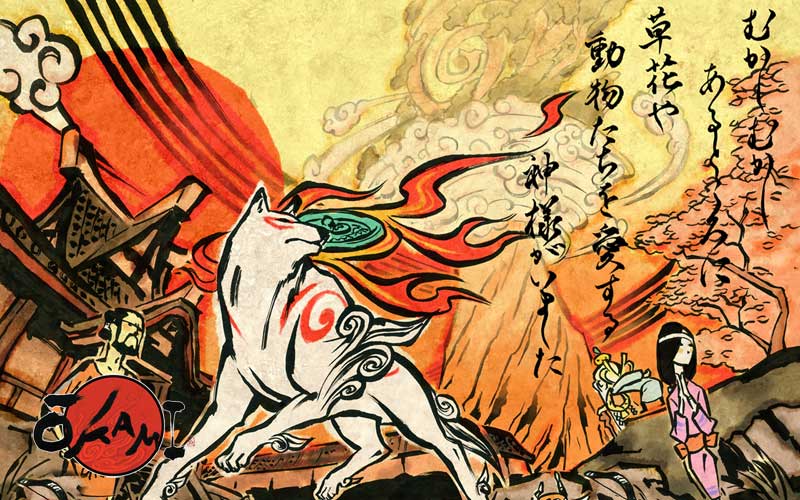
While the artstyle stroke will be using Okami art(Image below)

Image from: http://www.artofokami.com/wallpaper.php
The reason of mixing this is to form a reminiscence mood with the Japan visual to attract user in the narrative.


Reference:


Artofokami.com, (2006). Okami Art. [Online Image] Available at: http://www.artofokami.com/wallpaper.php [Accessed 10 Jul. 2014].

Carmina, L. (2013). 31 Pictures That Show Japan's Crazy Obsession With Cats. [Online] Business Insider. Available at: http://www.businessinsider.com/japan-is-obsessed-with-cats-2013-7?IR=T&op=1#ixzz3IqyPHFSh [Accessed 17 Jul. 2014].

Kincaid, A. (2013). Noppera-bo, the Faceless Ghost. [Online] Japan Powered. Available at: http://www.japanpowered.com/japan-culture/noppera-bo-the-faceless-ghost [Accessed 17 Jul. 2014].

Refined storyboard

I have combined the previous chapter 2 and chapter 4 story together so the story is shorter than the previous composed and more solid. 

I have reduced the story into 3 chapters and I took away the about page since I will be introducing Baku character in my narrative so I think the about page is not necessary. 

I will just roughly noted down the story line below each storyboard.


Baku entering Yoshi's dream:
Top left (Panel 1)

Top right (Panel 2)Bottom left (Panel 3)
Bottom right (Panel 4)

The final chapter story will start with a kid was washing dishes and look exhausted. When Baku passed by he saw this kid falling asleep and this is the chance that he start his evil entertainment.

The Kid who name Yoshi has dreamed he entered in the field and met his passed away father. Baku felt touched and he missed his master Yori too.

In Yoshi's dream:Top left (Panel 5)
Top right (Panel 6)Bottom left (Panel 7)
Bottom right (Panel 8)

Yoshi was playing kite with his father. But suddenly the weather has changed, the wind blew away the kite to the forest. Yoshi and his father couldn't get the kite but they are entering to the forest and find a shelter place to hide in.

In Yoshi's dream:
Top left (Panel 9)

Top right (Panel 10)Bottom left (Panel 11)
Bottom right (Panel 12)
Baku was always protecting the father and son. Suddenly, a hungry monster appeared.

In Yoshi's dream:
Top left (Panel 13)

Top right (Panel 14)Bottom left (Panel 15)
Bottom right (Panel 16)

In Panel 13, page will direct the user into interaction page where users have to help Baku to fight with the monster by throwing stones. Panel 14 showed after the monster gets injured. Baku was being praised by Yoshi and the father. When towards the end of the dream, Yoshi's father has to go and promised that they will meet again in the next dream.

In Yoshi's dream:
Top left (Panel 17)

Top right (Panel 18)Bottom left (Panel 19)
Bottom right (Panel 20)

Baku was excited because he saw his master Yori. Story will end with Yoshi wake up from his dream and he met Baku and they smile to each other. 

Wednesday, November 12, 2014

Digitize Progress (1)

The digitize progress.
During the holiday, I refined my storyboard and started to digitize my scenes from the sketches. 


An image reference is very useful for me when digitizing. It helps me to develop my spontaneous color mood and the overall look for the element.


For this case, I find how Japanese comic depicted when showing some "great" object. There always having the light and shine from behind the object.